A step-by-step guide to Sign Up, Login, and Your First View
Gamedoora is designed to help creators, developers, and teams collaborate, track progress, and build projects together. This guide will walk you through:
- How to Sign Up
- How Email Verification works
- How to Log In
- What you’ll see after logging in
📝 Step 1: Sign Up for Gamedoora
Login Screen
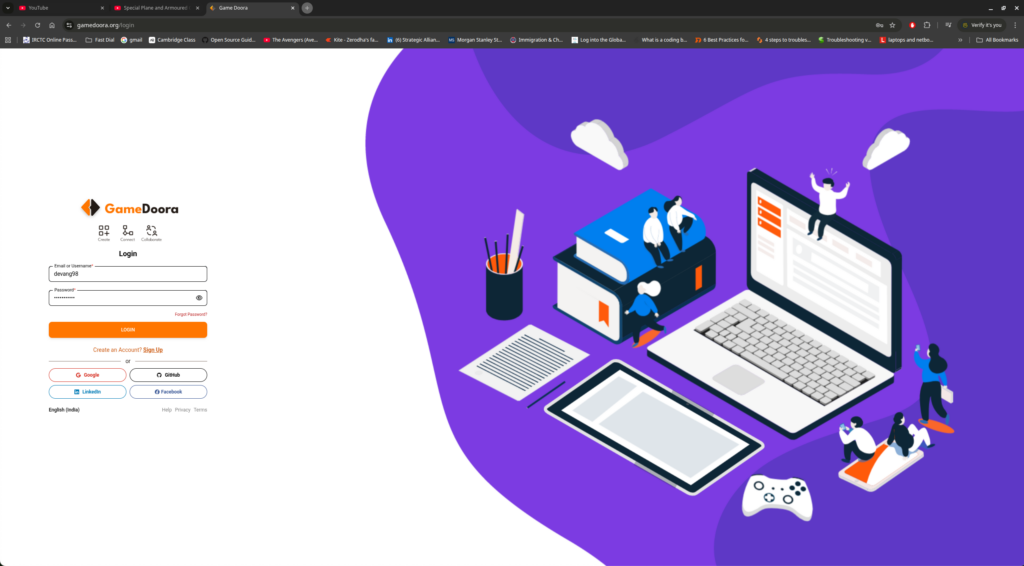
Sing Up Screen
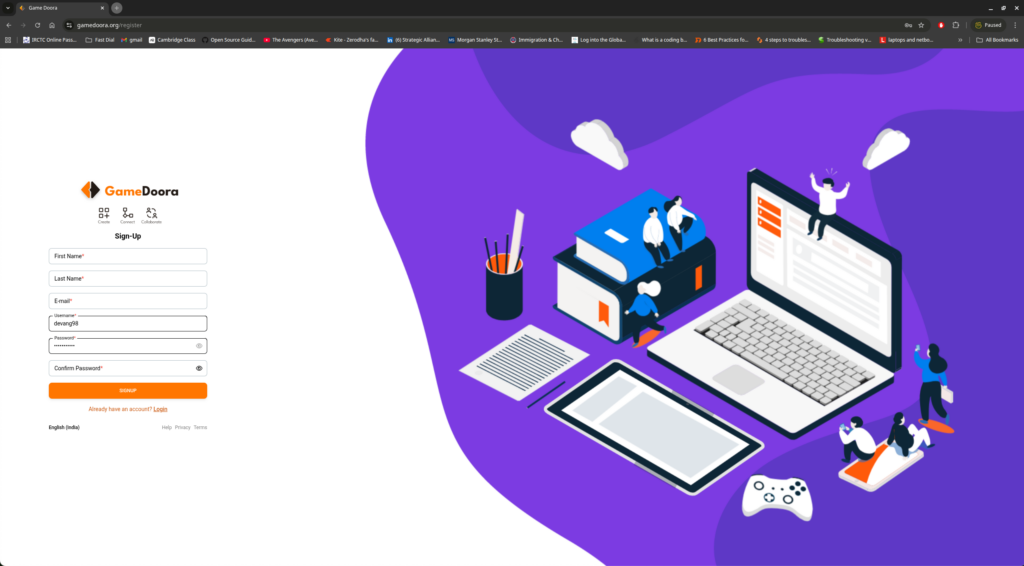
How to Sign Up
- Go to website https://www.gamedoora.org – Gamedoora Sign-Up page
- Fill in the required details:
- Full Name
- Email Address
- Username
- Password
- Review your information
- Click on Sign Up / Create Account
You can also choose to sign up using your socials (Google, GitHub, Linkedin, Facebook) shared on the login page (Screen 1)
✅ What Happens Next?
- Once you submit the form, your account is created in a pending verification state
- A confirmation email is automatically triggered to the email address you provided
📧 Step 2: Email Verification (Required)
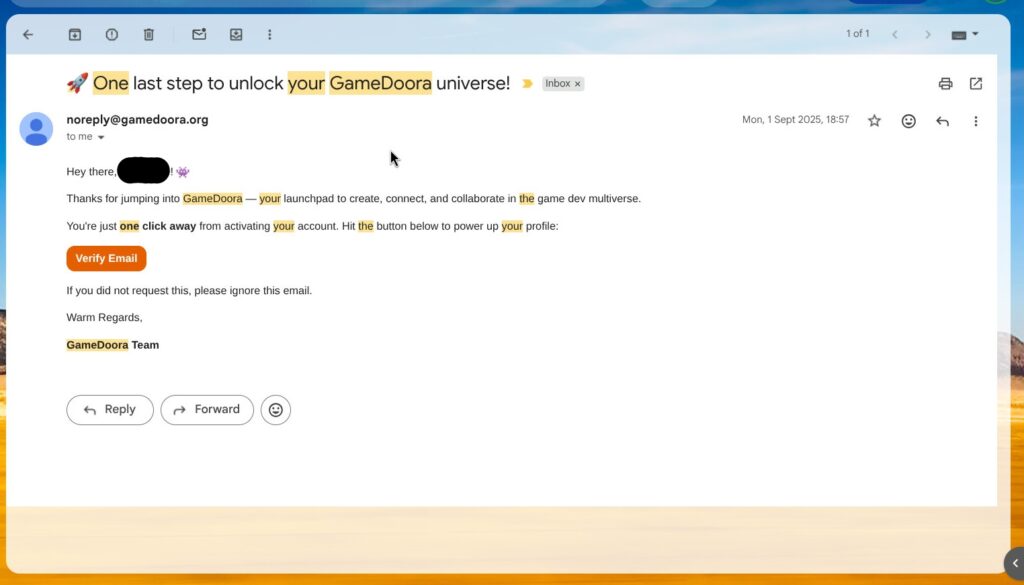
Why Email Verification Matters
To keep the community secure and authentic, Gamedoora requires email verification before login.
What You Need to Do
- Check your inbox for an email from Gamedoora
- Click on the Verify / Confirm Email link
- Once verified, your account is fully activated
⚠️ Didn’t receive the email?
- Check your spam/junk folder
- Make sure the email address was entered correctly
🔐 Step 3: Log In to Gamedoora
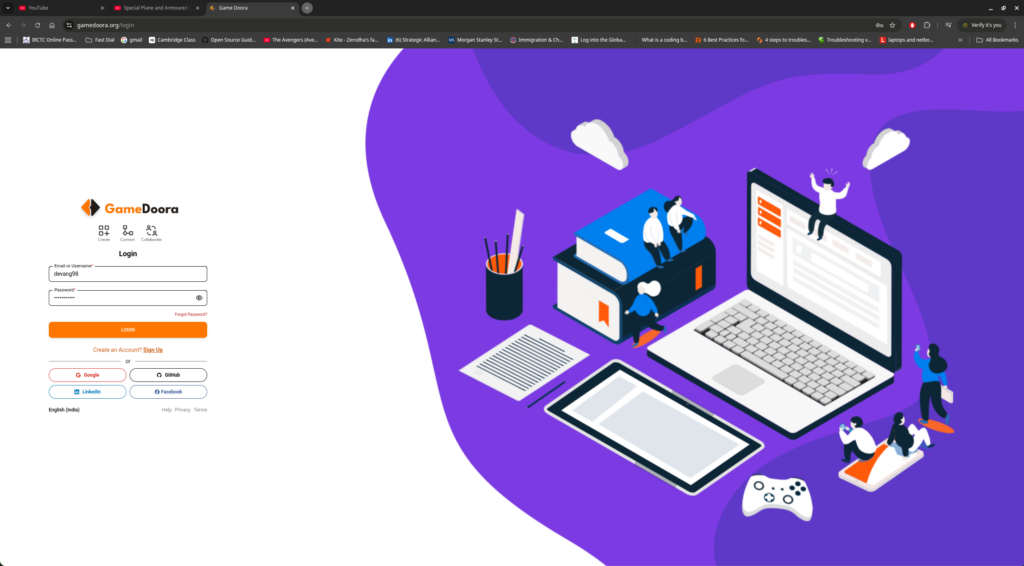
How to Log In
- Go to the Login page – www.gamedoora.org
- Enter your:
- Registered Email / Username
- Password
- Click Login
If your email is verified and credentials are correct, you’ll be logged in successfully.
🏠 Step 4: Home Page – What You See After Login
Once logged in, you land on the Gamedoora Home Feed — your central hub.
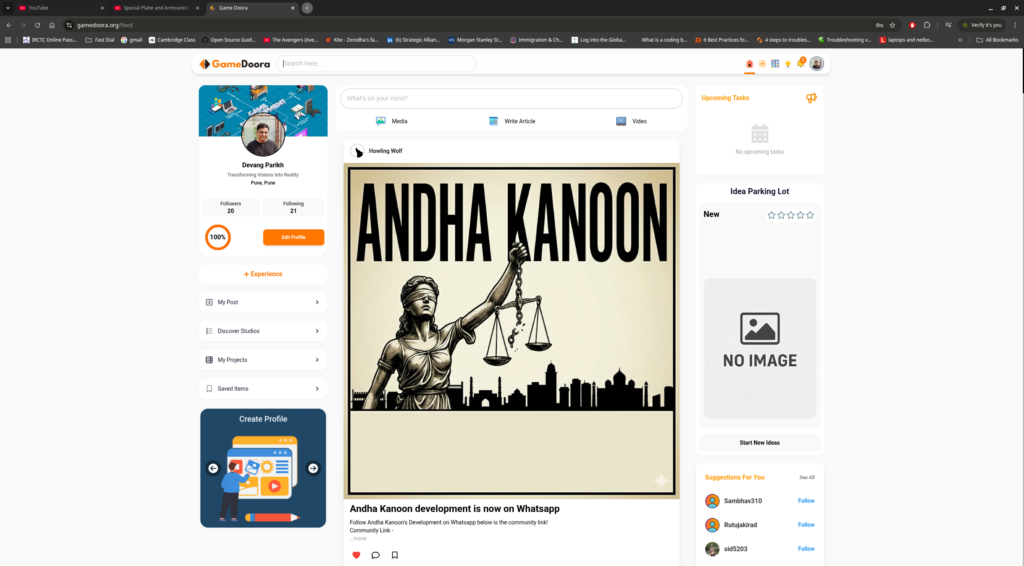
Key Sections You’ll See
📰 Activity Feed
- Updates from people you follow
- Project progress posts
- Screenshots, videos, and dev logs shared by the community
🧩 Projects & Collaboration
- View projects you are part of
- Track progress, milestones, and assets
- Collaborate with teammates in one place
👤 Complete & Edit Your Profile
Once you successfully log in, users can edit and complete their profile. This step is highly recommended, as your profile becomes your identity and portfolio on Gamedoora.
What Users Can Update
- Profile Photo / Avatar
- Bio / About Me
- Skills & Roles
(e.g., Game Designer, Programmer, Artist, Producer, Student) - Education or Studio Affiliation
- Links (Portfolio, GitHub, ArtStation, Itch.io, etc.)
🔍Search for Studio, Project or People
Once you are logged in, users are able to search the platform for Studio’s, Projects or People.
- Discover creators, developers, and teams
- Follow users and explore ongoing work
- Engage through likes, comments, and shares
➕ Quick Actions
- Create or join a project
- Share updates
- Explore new content and creators
🎯 What You Can Do Next
After logging in, you can:
- Start a new project
- Join an existing team or collaboration
- Share your work-in-progress
- Follow other creators
- Build your creative presence on Gamedoora
✅ Summary
- Sign Up → Fill the form
- Verify Email → Mandatory to activate account
- Log In → Access the platform
- Home Feed → Your collaboration & discovery space
Gamedoora is built to make game development collaboration simple, transparent, and community-driven.